
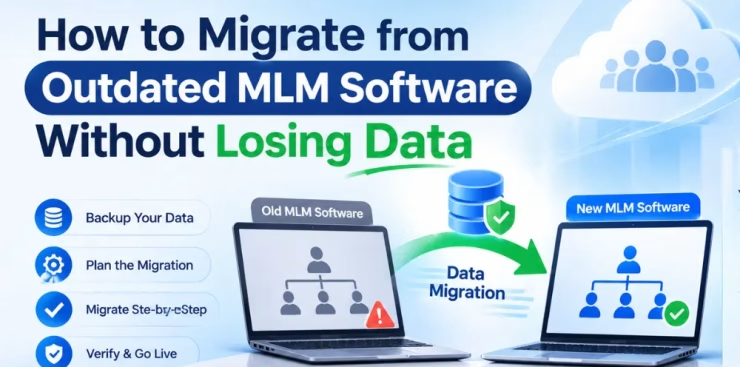
If your network marketing business is still running on aging software, you already know the pain: slow commission runs, broken reports, clunky distributor portals, and constant workarounds. Yet many direct selling companies delay switching because of one fear: “What if we lose our data?”
That fear is valid. Distributor genealogies, commission histories, orders, and payment records are the backbone of your business. The good news is that a well-planned MLM software migration protects every record, and often improves data quality along the way.
This guide walks you through exactly how to migrate from outdated MLM software without losing data, and how Lead MLM Software can support you at every stage.
Why Businesses Outgrow Their Old MLM Software
Before planning a move, it helps to confirm that migration is the right call. Common warning signs of outdated MLM software include:
- Slow or error-prone commission calculations that force manual checks every payout cycle
- Limited compensation plan support, making it hard to launch new plans such as binary, unilevel, matrix, or hybrid structures
- Poor mobile and web experience for distributors and customers
- Weak security, including outdated encryption or no regular updates
- No integrations with modern payment gateways, e-commerce stores, CRMs, or shipping tools
- High maintenance costs and dependence on a single developer who may no longer be available
- Scalability problems as your distributor base grows
If several of these sound familiar, staying put is usually more expensive than moving.
What Data Do You Need to Protect During MLM Data Migration?
A successful migration begins with knowing exactly what you own. Most MLM businesses should plan to move:
- Distributor profiles: names, IDs, contact details, enrollment dates, ranks, and status
- Genealogy and placement data: sponsor trees, binary legs, matrix positions, and upline/downline relationships
- Commission and bonus history: past payouts, pending commissions, and rank advancement records
- Orders and sales data: product purchases, personal volume (PV), group volume (GV), returns, and refunds
- Customer records: retail customers and preferred customers linked to distributors
- Financial data: wallet balances, payout methods, bank details, tax information, and transaction logs
- Product and inventory data: SKUs, pricing, packages, and enrollment kits
- Compensation plan rules: qualification logic, caps, rank requirements, and bonus pools
- Documents and compliance records: agreements, consent records, and tax forms
Treat this list as your migration checklist. Anything missing from it is a potential data-loss risk.
Step-by-Step: How to Migrate from Outdated MLM Software Without Losing Data
Step 1: Audit Your Current System
Start by documenting everything your existing platform does. List every module, report, integration, and custom script. Note which features your team and distributors truly use, and which are just clutter.
Also check the quality of your data. Old systems often hold duplicate distributors, incomplete addresses, orphaned genealogy nodes, and inconsistent formats. Migrating bad data only moves the problem to a new home.
Step 2: Define Clear Migration Goals
Ask what success looks like. Typical goals include:
- Zero loss of distributor, genealogy, and commission history
- Minimal downtime, ideally outside a payout window
- Faster commission processing
- Better distributor experience
- Room to grow into new markets and currencies
Clear goals make it easier to measure results and keep every stakeholder aligned.
Step 3: Back Up Everything Before Touching Anything
This is the golden rule of data migration. Create full, verified backups of your database, files, and configuration. Store copies in at least two secure locations, and test that the backups actually restore. A backup you have never tested is only a hope, not a safety net.
Step 4: Clean and Standardize Your Data
Before export, tidy up your records:
- Remove duplicate and test accounts
- Standardize date, phone, and address formats
- Fix broken sponsor and placement links
- Reconcile wallet balances and pending commissions
- Archive inactive records you do not need to carry forward
Cleaner data means a faster, more accurate import and fewer surprises later.
Step 5: Map Your Data Fields
Data mapping is where most migrations succeed or fail. Create a spreadsheet that matches each field in your old system to the corresponding field in the new one. Pay special attention to:
- Unique IDs, so distributor numbers stay consistent
- Genealogy structure, so every parent-child relationship is preserved exactly
- Date and time zones, so commission periods line up
- Currency and decimal precision, so no payout is off by even a cent
A reliable provider such as Lead MLM Software can help your team build this mapping so nothing falls through the cracks.
Step 6: Choose the Right Migration Partner and Platform
Not every vendor handles migration equally well. When evaluating options, look for:
- Experience migrating data from legacy or custom-built MLM systems
- Support for your compensation plan, including complex or hybrid plans
- A dedicated migration team, not just a self-service import tool
- A staging or test environment
- Strong security and data-privacy practices
- Post-launch support and training
Lead MLM Software is built for direct selling and network marketing businesses that want a structured, low-risk transition, with the tools and support needed to bring existing data into a modern, scalable platform.
Step 7: Run a Test Migration in a Staging Environment
Never go straight to production. Import a copy of your data into a test environment first, then verify:
- Total distributor counts match
- Genealogy trees look identical in both systems
- Commission results match for a past payout period
- Wallet balances and order totals reconcile
- Reports and exports show the same numbers
Run your historical commission calculations on the new platform and compare them with the old results. If the numbers match, you can proceed with confidence.
Step 8: Plan the Cutover and Minimize Downtime
Choose a cutover window that avoids payout days, major promotions, and product launches. A typical approach:
- Announce the maintenance window to distributors in advance
- Freeze new enrollments and orders briefly in the old system
- Perform a final data export (delta migration of the latest changes)
- Import and validate in the new platform
- Switch DNS and domains, then reopen the system
Keep the old system in read-only mode for a short period as a fallback.
Step 9: Validate Data After Go-Live
Immediately after launch, run a post-migration audit:
- Spot-check a sample of distributor accounts across different ranks
- Confirm login and password reset flows work
- Process a test order and a test commission run
- Review payout and tax reports
- Collect feedback from your support team
Fix any discrepancies quickly, while the old data is still easy to reference.
Step 10: Train Your Team and Communicate with Distributors
Even a perfect migration can feel rocky if people are confused. Share short tutorials, FAQs, and a clear timeline. Highlight the benefits distributors will notice right away, such as a faster back office, a better mobile experience, and more transparent commission reports. Good communication protects trust, and trust protects retention.
Common MLM Software Migration Mistakes to Avoid
- Skipping the backup. Always verify backups before you begin.
- Migrating dirty data. Clean first, import second.
- Ignoring genealogy integrity. One broken link can distort commissions across entire downlines.
- Rushing the cutover. Schedule enough time for testing and fixes.
- No rollback plan. Know exactly how to revert if something fails.
- Overlooking integrations. Payment gateways, shipping, tax tools, and e-commerce stores must be reconnected and tested.
- Forgetting compliance. Make sure consent records, tax data, and privacy requirements are carried over properly.
How Lead MLM Software Helps You Migrate Safely
Switching platforms should feel like an upgrade, not a gamble. Lead MLM Software supports businesses through the full journey:
- Data assessment and planning: reviewing your current structure and defining a clear migration roadmap
- Field mapping and import: careful handling of distributor, genealogy, order, and commission data
- Compensation plan setup: configuring your plan accurately so payouts match your rules
- Testing before launch: validating results in a test environment before anything goes live
- Modern features: a more capable back office, distributor portal, and reporting for growth
- Ongoing support: help during go-live and beyond
Final Thoughts
Outdated software quietly limits growth, frustrates distributors, and increases risk. Migrating does not have to mean losing data. With a solid audit, clean data, careful mapping, thorough testing, and a trusted partner, you can move to a modern platform with confidence.
If you are ready to upgrade, Lead MLM Software can help you plan and execute a smooth, secure migration, so your distributors keep their history and your business gains the technology it needs to scale.
Ready to make the switch? Get in touch with Lead MLM Software today to discuss your migration and see how a modern platform can power your next stage of growth.